












Getting artwork right before you submit it saves a round of revisions and gets your studio's printing package finished faster. Because business cards, folders, boxes and wax seal stamps are produced differently, each one has slightly different requirements — this checklist walks through what to prepare for each.
General file basics that apply across every item
- Work in a vector format (such as AI, EPS or a high-resolution PDF) wherever your design allows it, especially for logos and text — this keeps edges sharp regardless of print size.
- For any photographic or raster elements, use the highest resolution version you have available rather than a web-optimised export; images pulled from a website or social media are almost always too low-resolution for print.
- Flatten fonts to outlines or embed them, so text doesn't reflow or substitute if the file is opened on a different system.
- Keep a layered source file even after you export a flattened version — you'll likely need it again for the next order.
Business cards
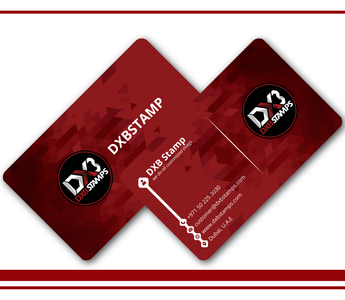
Set up your file with bleed (extending background colour or imagery past the trim edge) so nothing white shows at the edge after trimming, and keep any text or logo elements inside a safe margin away from the trim line. If your studio uses a photograph on the card, check it at full size and 100% zoom before submitting — small artifacts or softness that are invisible in a thumbnail become obvious on a printed card.
Presentation and delivery folders
Folders are usually printed flat and then cut and folded, so your artwork needs to account for pocket placement, fold lines and any die-cut slits for a business card or USB drive. If you're not sure how your design maps onto the finished folder shape, request a template first rather than designing blind — folder layouts are far less forgiving of guesswork than a flat card. Colour consistency matters more here than on a single card, since a folder is often seen alongside other branded items, so keep your logo files and brand colours in one reference file you reuse for every product in the package.
Boxes for USBs, prints and albums
Box artwork is built onto a die-line — a flat template showing exactly how the box folds, including tabs, glue points and any internal inserts that hold a USB drive or prints in place. Never design a box as if it were a flat rectangle; panels that look fine individually can end up misaligned or upside down once the box is folded if the die-line isn't followed precisely. If your studio is ordering a box for the first time, ask for the die-line template before finalising your design, and check where any window cut-outs or ribbon slots fall relative to your logo placement.
Wax seal stamps
A wax seal is engraved, not printed, so full-colour or photographic logos don't translate directly — the design needs to be simplified into a clean, high-contrast vector version, usually a single-colour silhouette of your mark. Fine detail, thin lines and small text tend to get lost in wax, so a logo that works well on a business card may need to be redrawn or simplified specifically for the stamp. If your logo has a lot of fine detail, it's worth preparing a simplified version early rather than trying to force the original artwork to work.
Colour accuracy across formats
Because photography and videography studios are especially sensitive to colour accuracy, it's worth submitting artwork in CMYK rather than RGB wherever possible, since colours can shift noticeably between the two, particularly in brand colours, skin tones in any photography used, and dark backgrounds. If exact colour matching matters for your brand, flag it before printing rather than after, since correcting a colour mismatch after a run is far more disruptive than checking beforehand.
A quick pre-submission check
- Bleed and safe margins are set for cards and folders.
- Box artwork is built on the correct die-line, not a flat rectangle.
- The wax seal design is a simplified, single-colour version of your logo.
- Files are in CMYK, with fonts outlined or embedded.
- You have a layered source file saved for future reorders.
Once your files are ready, they slot directly into the products covered in the photography and videography studio printing package, whether you're ordering everything at once or adding pieces over time.



