












Artwork & Ordering Checklist for Typing Center Stamps, ID Cards and Signage
Ordering stamps, ID cards, badges, signage, and stationery for a typing center or PRO services office involves more moving parts than a single stationery order — multiple staff names, exact company wording, and several item types that all need to look consistent. This checklist walks through preparing artwork and placing an order so you get it right the first time.
Before you start, see the full bundle overview on our main page: Business Setup & Typing Center / PRO Services Printing Package.
Step 1: Gather Your Core Company Details
- Your registered company name exactly as it appears on your trade license, including the Arabic version if applicable.
- Your registered address, formatted the way you want it to appear on stamps and letterheads.
- Any license or registration numbers you want included on specific items (confirm current requirements against your actual license before finalizing wording).
Step 2: Prepare Your Logo and Brand Assets
- Use a vector file if you have one (AI, EPS, or a high-resolution PDF) — this reproduces cleanly at the very different sizes needed across a stamp, an ID badge, a sign, and a letterhead.
- If you don't have a vector logo, provide the highest-resolution version available and flag it so our team can advise on what's usable at each size.
- Decide on your brand colors (with reference codes if you have them) so signage, ID cards, and stationery can be matched consistently rather than approximated separately for each item.
Step 3: List Every Item You Need, With Quantities
Work through the bundle systematically rather than ordering item by item over time:
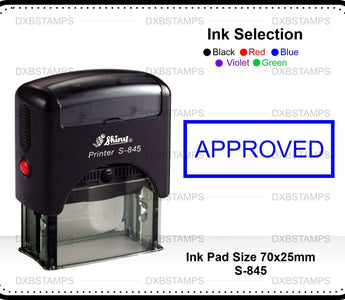
- Stamps and/or embossing seals (and how many — remember spares for busy counters).
- ID cards and name badges — list every current staff member's name and role.
- Business cards — per staff member or a shared design with a name field.
- Letterheads and envelopes.
- Signage — indoor reception/directional, and note any separate window or storefront needs.
- NCR bill books, if you collect fees or payments at the counter.
Step 4: Decide on Staff Details for ID and Badges
- Collect full names as staff want them to appear (and note any staff who prefer a shortened or anglicized name for client-facing use).
- Note roles/titles if you want them included on badges (e.g., "Typist," "PRO Officer," "Consultant").
- Plan for how you'll handle new hires or departures — ask about reissuing or updating individual badges without redesigning the whole batch.
Step 5: Review a Proof Before Full Production
- Check company name spelling, Arabic text accuracy, and address formatting carefully — these are the most common source of reorders.
- Confirm staff names and titles on ID/badge proofs individually, not just the template design.
- If ordering signage, confirm the physical dimensions match your actual wall, window, or entrance space before production.
Step 6: Plan Your Rollout
- Consider whether you want everything installed/issued at once (useful for a grand opening or full rebrand) or staggered (e.g., stamps and stationery first since they're needed for daily operations, signage once the space is ready).
- If you're opening a new location, coordinate signage installation timing with your fit-out schedule.
Common Ordering Mistakes to Avoid
- Submitting company name or address text that doesn't match your current trade license exactly.
- Ordering ID badges without a plan for staff turnover, leading to a pile of unused badges for former staff.
- Choosing signage dimensions without measuring the actual installation space first.
- Approving a proof without a second staff member checking it — a second set of eyes catches most spelling and formatting errors.
For guidance on the specific choice between stamp types before you finalize your stamp order, see Self-Inking vs Traditional Rubber Stamps for a Dubai Typing Center.
Related product pages: Business Card Printing Dubai, Letterhead & Envelope Printing Dubai, Custom ID Card Printing Dubai, Rubber Stamps Dubai.
Frequently Asked Questions
What's the single most common mistake in orders like this? Company name or address text that doesn't exactly match the current trade license — always double-check wording against your license before submitting artwork.
Do I need a vector logo file to order? It isn't strictly required, but it produces the cleanest results across very different item sizes (a stamp versus a large sign, for example). If you don't have one, tell us and we'll advise on what's usable.
How should I handle staff who join or leave after the initial order? Plan ahead by asking about badge formats that can be reissued individually, so you're not redesigning the whole batch every time your team changes.
Can I order everything in this checklist in one go? Yes, many offices do — see our main package page for the full bundle: Business Setup & Typing Center / PRO Services Printing Package.



